Case study · AI chatbot · Voice · Accessibility
Voice assistant for a ticketing site
A voice chatbot on an e-ticketing website, so that people with disabilities can find an event, get answers and buy a ticket by speaking.
- Role
- Sole developer
- Company
- 24 B.E.Y.
- Period
- May 2025 - Dec 2025
- Status
- Live for users
The product
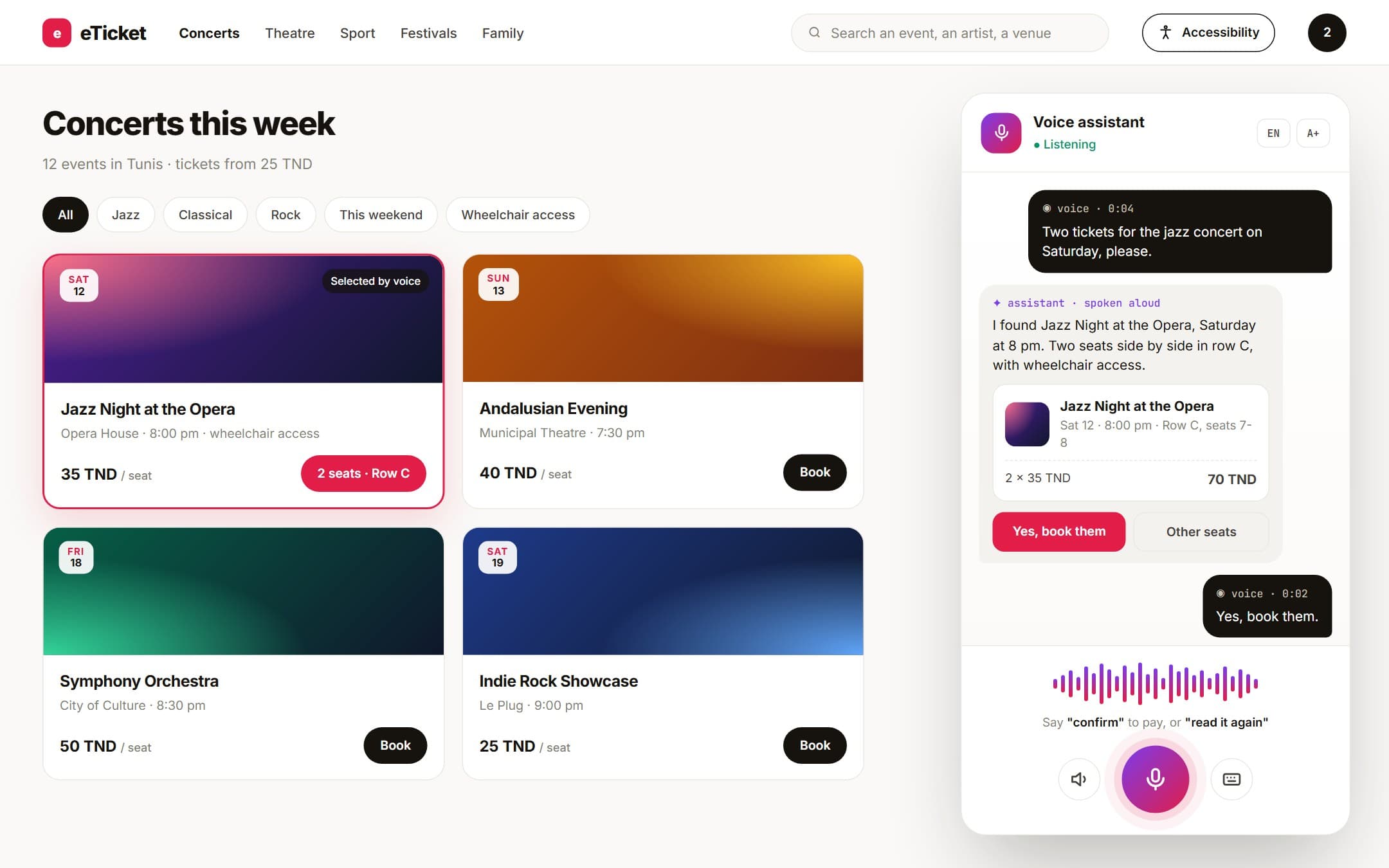
Interface redesigned for this portfolio
The problem
A ticketing website assumes that you can see the page, read small text and click through a booking form. For someone who is blind, who has limited use of their hands or who struggles with reading, buying a ticket usually means asking another person to do it.
The goal was to make the whole journey possible by voice: finding an event, asking about it, and booking a seat, without touching a form.
My role
I built the assistant alone at 24 B.E.Y., a German startup based in Tunis: the speech pipeline, the search over the events, the conversation logic and the integration with the website.
It went live on the ticketing site and speaks English and German.
What I built
01
Voice in, voice out
The user sends a voice message, the assistant understands it and answers with a voice message. Speech is transcribed with OpenAI models and the reply is spoken with a clear, natural ElevenLabs voice.
02
No exact names needed
Nobody remembers the exact title of an event. The assistant searches by meaning, so an approximate name, a date or a kind of event is enough to find the right one.
03
Answers from real data
Events, dates, prices and seats come from the site's own data, retrieved at each question (RAG). The model does not answer from memory.
04
It acts, it does not only talk
Through function calling the assistant searches events, takes the user to the right page and carries a booking through to confirmation.
05
Built for speech that is not clear
It works from what the person means, not from exact words, so a user who does not speak clearly still gets what they came for. Its own answers are short and easy to follow.
06
Two languages
The same assistant holds the conversation in English or in German.
How it works
One spoken request goes through five steps before the user hears the answer.
The user speaks
A voice message recorded on the site
Speech to text
OpenAI speech models
Understanding
Language model · search by meaning over the events
Action
Function calling: search, navigate, book
Voice reply
ElevenLabs text to speech
What was hard
Fast answers over a large catalogue
The events sit in a large MongoDB collection, and a spoken conversation does not tolerate a long wait. Search by meaning narrows the catalogue to a handful of candidates before the model answers, which keeps the reply quick.
Understanding every user
The people this assistant is for are the ones speech recognition serves worst. The assistant had to be forgiving: approximate names, unclear speech and incomplete sentences all had to lead to the right event.
A voice people can follow
An answer that reads well on a screen can be tiring to listen to. Replies were shaped for the ear: short, one idea at a time, in a clear voice.
Stack
Other case studies
Need a voice assistant in your product?
I can build it end to end, from the speech pipeline to the actions it takes for your users.